
How to build a restaurant website in one day (no code)
A practical walkthrough: choose a template, add your menu and prices, publish the site and share it with customers — plus a launch checklist.
Most customers check a restaurant on their phone before deciding where to eat. A website is not just decoration: it has to answer three questions in seconds — what do you serve, where are you, and when are you open? This guide walks through the whole process, from gathering information to publishing.
1. Prepare the essentials first
Collect everything you need in one place before you start:
- Restaurant name and a short tagline — what you are known for
- Menu and prices, grouped by category with short descriptions
- Photos — at least 5–10: storefront, signature dishes and the room
- Opening hours and regular days off
- Address, phone and LINE for bookings and questions
Make sure the prices on the site match the prices in the restaurant. Customers will treat the website as the source of truth.
2. Choose a template that fits
You do not need to start from a blank page. The Restaurant & Cafe template already includes menu, gallery and directions sections — you only replace the content with your own.
A smaller shop can use a Business Landing template and adapt the services section into a menu. What matters is that visitors reach the menu and contact action quickly.
3. Make the menu easy to read
- Group dishes by type instead of one long list.
- Highlight 3–5 best sellers near the top.
- Show prices clearly — use a range if portion sizes change the price.
- Use one strong photo per dish, not every photo you have.
If the menu is very large, split it into categories or a separate menu page. This helps both customers and search engines.
4. Match the look to your restaurant
Good photos make people hungry. Choose bright images where the food is clearly visible, and avoid blurry or borrowed images that may have copyright issues.
Pick two main colours that match the mood — warm browns for a café, blue and white for a seafood restaurant — and use them consistently across the site.
5. Add directions and contact options
Most customers open the map before they call. Include:
- An address that can be pasted into a map
- A Google Maps link
- Clear opening hours
- Call and LINE buttons
If you take reservations, add a booking form or a fast chat option. Customers who cannot book quickly often choose another restaurant.
6. Publish and share
After publishing you get an address such as yourbrand.giveu.site, or you can connect your own domain on a supported plan. Then:
- Add the link to Facebook, Instagram and your LINE OA profile
- Put a QR code on tables or the printed menu
- Add the site to your Google Business Profile
Launch checklist
- Menu and prices match the restaurant
- At least five food and atmosphere photos
- Address and opening hours are correct
- Call and LINE buttons work
- The site is easy to read on a phone
- Every button has been tested once
Summary
A restaurant website starts with the information customers need, not with visual effects. Prepare the menu, photos and hours, and you can publish in a day — with a site that actually helps people visit.
Start with the Restaurant & Cafe template or browse all templates.
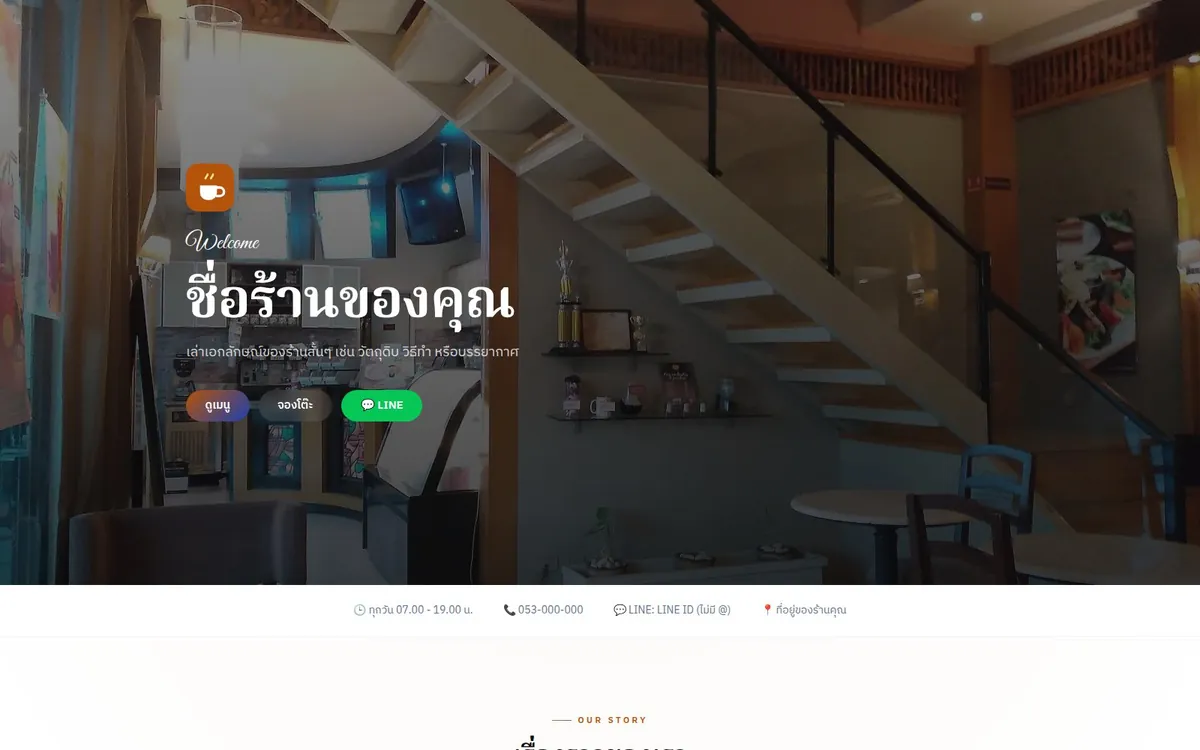
Related template
Restaurant / Cafe
เว็บร้านอาหาร/คาเฟ่ พร้อมเมนู แกลเลอรี เวลาเปิด-ปิด และแผนที่
Use this template free →